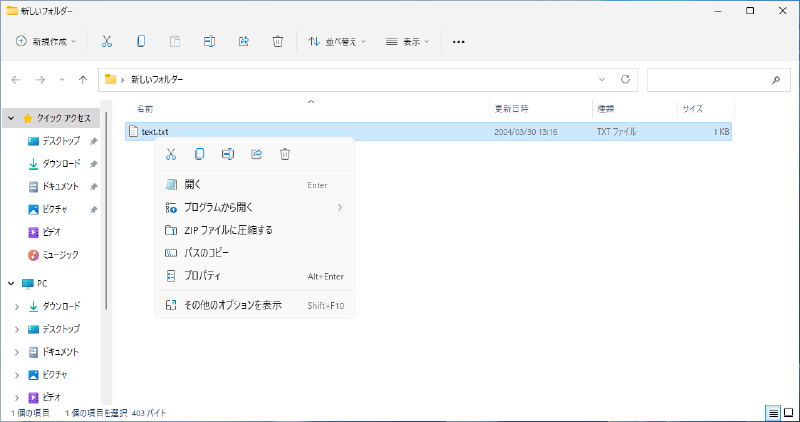
How to Restore the Classic Right-Click Menu in Windows 11
Here is how to restore the classic right-click menu in Windows 11.
- Open the Registry Editor.
Press the Win key + R key, type regedit, and press the Enter key.
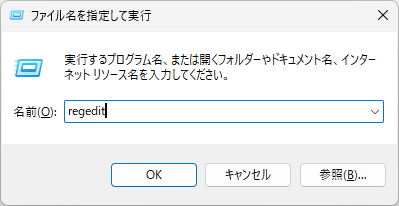
Navigate to
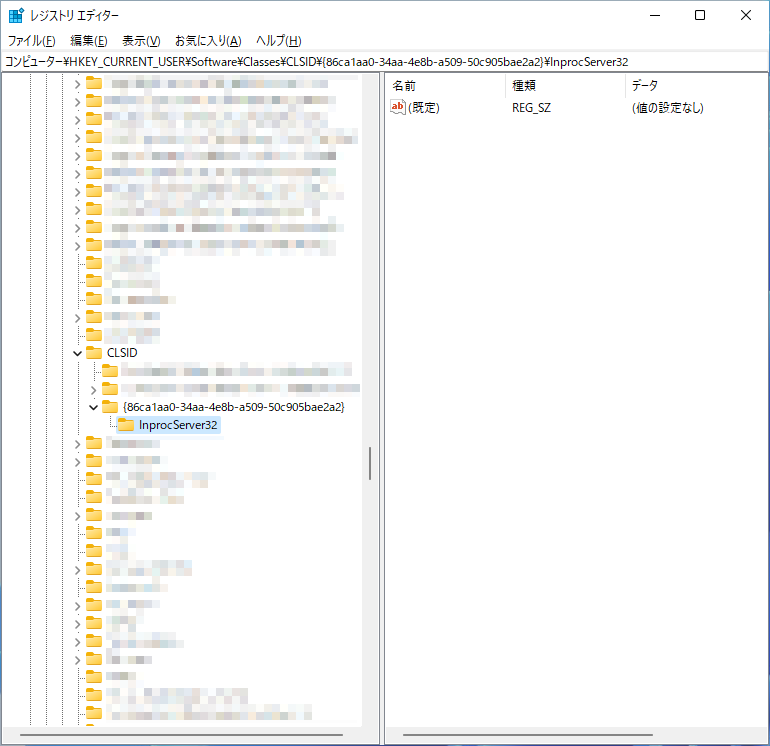
HKEY_CURRENT_USER\Software\Classes\CLSID\{86ca1aa0-34aa-4e8b-a509-50c905bae2a2}. Create this key if it does not exist.Navigate to
HKEY_CURRENT_USER\Software\Classes\CLSID\{86ca1aa0-34aa-4e8b-a509-50c905bae2a2}\InprocServer32. Create this key if it does not exist.Check that the
(Default)value inInprocServer32is empty.
- Restart your computer.
- Confirm that the right-click menu has returned to the classic version.