Introduction
When switching between Windows and Mac, the frequently used keyboard shortcuts like copy, paste, and undo are different. This post introduces a method to match them.
Setup Method (macOS Ventura)
- Open System Settings
- Select Keyboard
- Select Keyboard Shortcuts
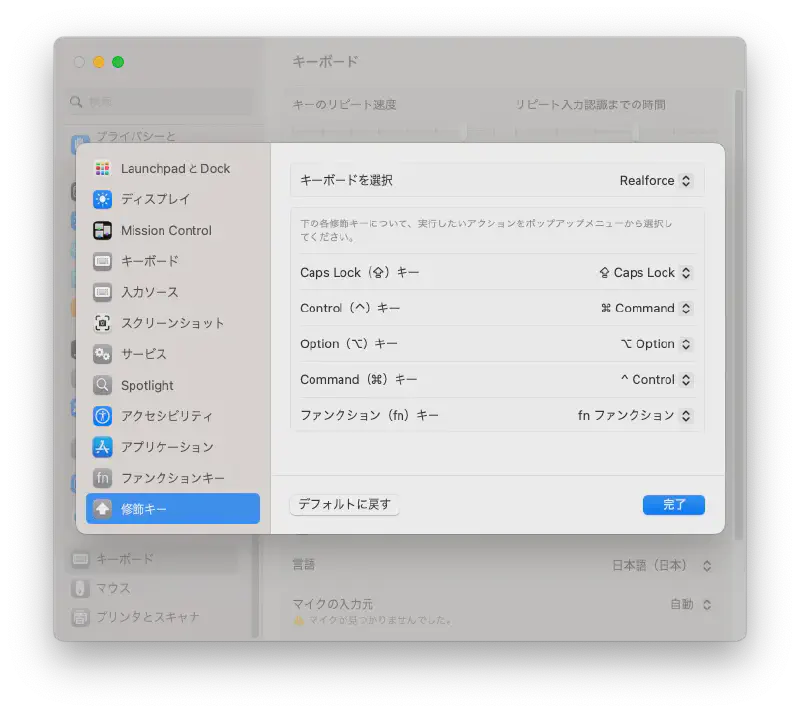
- Select Modifier Keys
- Assign the Control(^) key to “⌘ Command”
- Assign the Command(⌘) key to “^ Control”
- Click Done
That’s all.