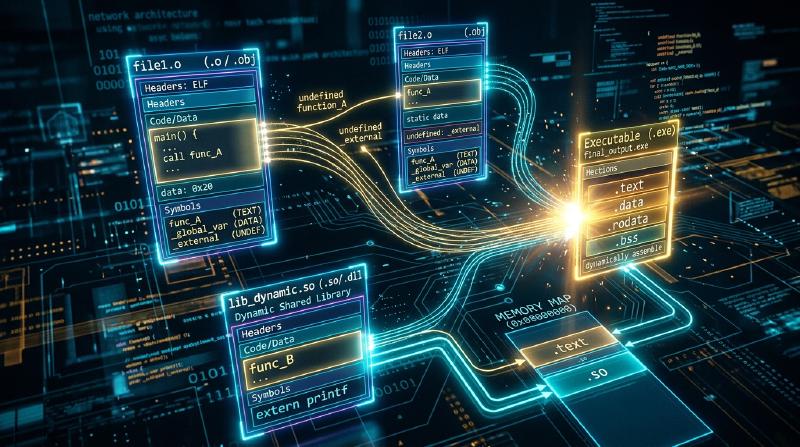
Introduction: The Invisible Titans of Software Construction
In modern software development, programmers execute commands like this hundreds of times a week:
| |
Or they click “Build & Run” inside an integrated development environment. Within seconds, a functional binary executable emerges, ready to run.
Colloquially, developers refer to this entire pipeline as “compilation.” Yet translating human-readable source code into machine instructions accounts for merely half the journey. The second half—taking dozens of isolated object files, resolving their tangled dependencies, unifying them into an executable, and loading that executable into physical memory to awaken the processor—is orchestrated by two foundational systems utilities: the Linker and the Loader.
  flowchart TD
    subgraph BuildPipeline ["The Journey from Source Code to Execution"]
        SourceA["main.c"] -->|Compiler (gcc -S)| AsmA["main.s (Assembly)"]
        SourceB["utils.c"] -->|Compiler (gcc -S)| AsmB["utils.s (Assembly)"]

        AsmA -->|Assembler (as)| ObjA["main.o (Relocatable Object)"]
        AsmB -->|Assembler (as)| ObjB["utils.o (Relocatable Object)"]
        Lib["libc.so / libm.a\n(Standard Libraries)"]

        ObjA --> Linker["★ Linker (ld / lld / mold)\n[Symbol Resolution & Address Relocation]"]
        ObjB --> Linker
        Lib --> Linker

        Linker --> Exec["myprogram (Executable ELF Binary)"]
    end

    Exec -->|./myprogram (execve)| Loader["★ Loader (OS Kernel & ld-linux.so)\n[Virtual Memory Mapping & Dynamic Linking]"]
    Loader --> CPU["CPU Execution (_start -> main)"]

    style BuildPipeline fill:#f9f9f9,stroke:#333,stroke-width:2px
    style Linker fill:#ffe6e6,stroke:#d9534f,stroke-width:2px
    style Loader fill:#e6f3ff,stroke:#0066cc,stroke-width:2px
Without the linker, modular programming would be impossible. We would be doomed to write entire systems within monolithic, multi-million-line files, enduring hours of total recompilation whenever fixing a single typo. Separate compilation—the bedrock of modern software engineering—is made possible entirely through the mathematical and structural mechanics of linking and loading.
This definitive treatise explores the inner workings of binary generation. We dissect the anatomy of the ubiquitous Executable and Linkable Format (ELF); demystify the strict mechanics of Symbol Resolution; calculate address patching in Relocation; unveil the elegant machinery of Position-Independent Code (PIC), the Global Offset Table (GOT), and Procedure Linkage Table (PLT) in Dynamic Linking; and trace the operating system’s journey from execve() to the hidden runtime preamble that invokes main().
1. Anatomy of an Object File: The ELF Standard
Compilers and assemblers produce intermediate files (.o on Unix, .obj on Windows) known as Relocatable Object Files.
On Linux, Android, and modern Unix systems, these files conform to the ELF (Executable and Linkable Format) specification (counterparts include PE/COFF on Windows and Mach-O on macOS).
A relocatable object file is far more than a block of raw CPU opcodes. In fact, machine code represents only a fraction of the file. The bulk of an ELF file consists of metadata, symbol tables, and architectural blueprints designed specifically for the linker.
  flowchart TD
    subgraph ELFStructure ["Structure of an ELF Binary"]
        direction TB
        ELFHeader["ELF Header\nArchitecture (x86_64), Endianness, Entry Point, Header Offsets"]
        ProgHeader["Program Header Table\n[Consumed by Loader] Segment mappings & memory permissions (R, W, X)"]

        subgraph Sections ["Sections [Consumed by Linker]"]
            TextSec[".text : Machine instructions (Code)"]
            RodataSec[".rodata : Read-only constant data (String literals)"]
            DataSec[".data : Initialized global and static variables"]
            BssSec[".bss : Uninitialized global data (Zero disk size!)"]
            SymTab[".symtab : Symbol table (Registry of functions & variables)"]
            RelText[".rela.text : Relocation records (Address patch instructions)"]
        end

        SecHeader["Section Header Table\nOffsets, sizes, and names of all sections in the file"]

        ELFHeader --> ProgHeader --> Sections --> SecHeader
    end

    style ELFStructure fill:#f5f5f5,stroke:#333,stroke-width:2px
    style TextSec fill:#d9edf7,stroke:#31708f
    style BssSec fill:#fff3cd,stroke:#856404
    style SymTab fill:#dff0d8,stroke:#3c763d
    style RelText fill:#ffebe8,stroke:#d9534f
1.1 The Core Sections of an Object File
An ELF file is divided into functional compartments called Sections:
.textSection: Contains the compiled machine code instructions intended for the CPU. Typically marked with Read/Execute permissions..rodataSection: Stores read-only data, such as format strings inprintf("Hello World\n"), jump tables forswitchstatements, andconstvariables..dataSection: Holds initialized global and static variables, such asint max_users = 1000;. These values occupy physical byte space in the binary on disk..bssSection (Block Started by Symbol / Better Save Space): Allocated for uninitialized or zero-initialized global and static variables (e.g.,int buffer[1000000];). Here lies an extraordinary architectural optimization:.bssconsumes zero bytes of disk storage in the object file! The ELF header simply records the total memory size required. Physical DRAM pages are only allocated and zero-filled on demand by the OS kernel when the program executes..symtabSection (Symbol Table): A structured array indexing every function, global variable, and external reference defined or imported by the module..rela.textSection (Relocation Information): A list of instruction locations where the compiler left placeholder addresses, accompanied by explicit mathematical formulas telling the linker how to calculate the true address once other modules are merged.
2. Linker Mission 1: Symbol Resolution
The linker’s lifecycle divides cleanly into two operations: Symbol Resolution and Relocation. Symbol resolution answers the question: Which definition of a variable or function corresponds to which usage across all files?
2.1 The Three Classes of Symbols
In the context of the linker, symbols fall into three categories:
- Global Symbols: Functions and variables defined in the current module that can be referenced by external modules (non-static functions and globals).
- External Symbols: Global functions or variables referenced in the current module but defined in an external compilation unit (e.g.,
extern int counter;or library calls likesin()). - Local Symbols: Variables and functions declared with the C
statickeyword. These are strictly private to the compilation unit; the linker treats them in isolation and guarantees they will never collide across files.
2.2 Strong vs. Weak Symbols: Rules of Engagement
What happens if two independent C source files declare a global variable with the same name? The compiler classifies symbols into Strong and Weak:
- Strong Symbols: Function definitions and initialized global variables (e.g.,
int x = 10;,void compute() {}). - Weak Symbols: Uninitialized global variables (e.g.,
int x;) or symbols annotated with__attribute__((weak)).
The linker resolves conflicts using three cardinal rules:
  flowchart TD
    subgraph SymbolRules ["The Three Rules of Symbol Resolution"]
        R1["Rule 1: Multiple Strong Symbols are strictly forbidden.\nIf two strong definitions share the same name,\nthe linker aborts with: 'multiple definition of foo'"]
        R2["Rule 2: Strong overrides Weak.\nIf a strong symbol and one or more weak symbols share a name,\nthe linker silently selects the strong definition."]
        R3["Rule 3: Multiple Weak Symbols trigger arbitrary choice.\nIf multiple weak symbols collide,\nthe linker arbitrarily picks one without warning! (Dangerous!)"]
    end

    style SymbolRules fill:#fff9e6,stroke:#e6b800,stroke-width:2px
    style R1 fill:#ffebe8,stroke:#d9534f
    style R3 fill:#ffdddd,stroke:#c00
Rule 3 is a notorious source of insidious memory bugs in legacy C code. If module1.c defines double x; (8 bytes) as weak, and module2.c defines int x; (4 bytes) as weak, the linker merges them without error. When code in module2.c writes to x, it may overwrite the adjacent 4 bytes of memory, corrupting unrelated variables.
2.3 Static Libraries (.a) and Link Order Sensitivity
Every developer eventually encounters a baffling scenario where a library is clearly supplied on the command line, yet the build fails with an “undefined reference” error:
| |
Why does command-line order matter?
Static libraries (.a) are simply Unix archives (ar) containing collections of .o files. When linking, ld scans command-line inputs from left to right in a single pass, maintaining three internal sets:
- Set $E$ (Executable): Object files that will be incorporated into the final binary.
- Set $U$ (Undefined): Symbols that have been referenced but not yet resolved.
- Set $D$ (Defined): Symbols that have been encountered and defined.
  flowchart LR
    Scan["Single-Pass Left-to-Right Scan"] --> S1["Encounter main.o\nAdds 'sqrt' to Undefined Set U"]
    S1 --> S2["Encounter -lm (libm.a)\nExtracts object matching 'sqrt' from archive;\nResolves U and adds object to E"]
    S2 --> S3["Scan complete: U is empty -> Link Success!"]

    style Scan fill:#e6f3ff,stroke:#0066cc
    style S2 fill:#dff0d8,stroke:#3c763d
If -lm is placed before main.c, the undefined set $U$ is empty when the linker inspects libm.a. The linker determines that none of the library’s members are needed, discards the archive, and moves on. When it subsequently parses main.c, it discovers the undefined symbol sqrt, but the library is already gone!
3. Linker Mission 2: Relocation
Once every symbol reference is paired with a concrete definition, the linker begins Relocation: calculating the absolute memory layout and patching instruction operands.
3.1 The Compiler’s Placeholder Operands
When compiling an isolated file, the compiler cannot know where functions in other files will live in virtual memory. When an instruction calls an external function, the assembler emits a placeholder value (typically all zeros):
| |
Simultaneously, it records an entry in the .rela.text section:
“Attention Linker: At offset 0x0A, apply a 32-bit PC-relative patch pointing to
utils_func.”
3.2 Relocation Records and Mathematical Equations
In 64-bit ELF, relocation entries are structured as:
| |
The two most common x86-64 relocation types are:
- $$\text{Value} = S + A - P$$
- $S$: Final virtual address of the target symbol.
- $A$: Addend encoded in the relocation record (typically $-4$).
- $P$: Virtual address of the byte field being patched.
- $$\text{Value} = S + A$$
The linker aggregates identical sections across all input files (combining all .text into a master .text, all .data into a master .data), assigns contiguous virtual address blocks, and iterates through every relocation entry, rewriting placeholders with mathematical precision.
4. Static Linking vs. Dynamic Linking: The Magic of Shared Libraries
Software can be linked in two fundamental ways: Static Linking and Dynamic Linking.
  flowchart TD
    subgraph StaticLinking ["Static Linking (Full Self-Containment)"]
        S_Lib["libc.a (Static Archive)"]
        S_Prog1["App 1 Binary (Includes libc copy: 30MB)"]
        S_Prog2["App 2 Binary (Includes libc copy: 30MB)"]
        S_Lib --> S_Prog1
        S_Lib --> S_Prog2
    end

    subgraph DynamicLinking ["Dynamic Linking (Shared Virtual Memory)"]
        D_Lib["libc.so (Shared Library: 5MB)\nSingle physical memory footprint"]
        D_Prog1["App 1 (Small stub: 100KB)"]
        D_Prog2["App 2 (Small stub: 100KB)"]
        D_Prog1 -.->|Mapped via Virtual Memory| D_Lib
        D_Prog2 -.->|Mapped via Virtual Memory| D_Lib
    end

    style StaticLinking fill:#fff2f0,stroke:#d9534f,stroke-width:2px
    style DynamicLinking fill:#f0f7ff,stroke:#0275d8,stroke-width:2px
4.1 The Flaws of Static Linking
Static linking embeds complete copies of library functions inside every binary. While robust and portable, it exhibits severe flaws at scale:
- Massive Storage and Memory Waste: If 500 running programs each statically link
libc, 500 identical copies ofprintfoccupy precious disk space and physical RAM. - Maintenance Nightmare: When a critical security vulnerability is patched in
OpenSSLorglibc, every statically linked binary on the system must be manually recompiled and redeployed.
4.2 Dynamic Linking and Position-Independent Code (PIC)
In dynamic linking, the executable contains only a stub referencing shared libraries (.so on Linux, .dll on Windows).
When the program launches, the OS dynamic linker (ld-linux.so) maps the shared library into physical memory once. Multiple processes share the same read-only .text segment in physical RAM.
To enable this, shared libraries must be compiled as Position-Independent Code (PIC, -fPIC): the code must execute correctly regardless of what arbitrary virtual address the OS kernel assigns to it.
PIC achieves this using the Global Offset Table (GOT) and the Procedure Linkage Table (PLT).
  flowchart TD
    subgraph LazyBinding ["First Invocation: Lazy Binding via PLT & GOT"]
        direction TB
        Code["call printf@plt"] --> PLT0["PLT Entry for printf\n1. jmp *GOT[printf]\n(Points back to PLT push instruction on first run)"]
        PLT0 --> PushID["2. push Relocation_ID\n3. jmp dynamic_linker resolver"]
        PushID --> DynLinker["Dynamic Linker (ld-linux.so)\nFinds physical address of printf in libc.so"]
        DynLinker --> PatchGOT["Overwrites GOT[printf] with real address!"]
        PatchGOT --> ExecReal["Jumps to printf() body"]
    end

    subgraph FastPath ["Subsequent Invocations: Zero-Overhead Fast Path"]
        Code2["call printf@plt"] --> PLT_Fast["jmp *GOT[printf]"]
        PLT_Fast --> DirectCall["Direct jump into printf()!\n(Zero dynamic linker intervention)"]
    end

    style LazyBinding fill:#fff9e6,stroke:#e6b800,stroke-width:2px
    style FastPath fill:#e8f4f8,stroke:#2b7a78,stroke-width:2px
4.3 The Mechanics of Lazy Binding
A massive shared library like libc contains thousands of functions, but a typical application calls only a tiny fraction of them. Resolving all dynamic symbols at startup would severely degrade launch performance.
Through Lazy Binding, symbol resolution occurs on-demand:
- Initial Call: When
main()executescall printf@plt, execution jumps to the PLT stub. The PLT reads the address stored inGOT[printf]. On the first run, the GOT contains a pointer pointing back to the next line in the PLT! - Linker Resolution: The PLT pushes the symbol ID onto the stack and jumps to the dynamic linker (
ld-linux.so). The dynamic linker looks up the real virtual address ofprintfinsidelibc.so. - GOT Patching: The dynamic linker writes the resolved address directly into
GOT[printf]. - Subsequent Calls: When
printf@pltis called again,jmp *GOT[printf]jumps directly into the real function body without executing the dynamic linker resolver. Overhead drops to a single indirect jump.
5. The Loader’s Mission: Mapping the Binary into Memory
When a user types ./myprogram in a shell, the shell executes the execve() system call. Control passes to the operating system kernel’s binary loader.
  flowchart TD
    subgraph LoaderSequence ["Execution Flow of the OS Loader"]
        Shell["1. Shell calls fork() and execve('./myprogram')"]
        KernelExec["2. Kernel wipes previous process address space"]
        Parse["3. Validates ELF Magic (0x7F 'E' 'L' 'F') & parses Program Headers"]
        Mmap["4. Maps PT_LOAD segments via mmap()\nCode segment (R-X) & Data segment (RW-)"]
        Stack["5. Initializes user stack\nPushes argc, argv, envp, and auxiliary vectors (auxv)"]
        Dynamic["6. If dynamic binary, loads interpreter (ld-linux.so)\nResolves runtime shared libraries"]
        Entry["7. Transfers execution to ELF entry point (_start)"]

        Shell --> KernelExec --> Parse --> Mmap --> Stack --> Dynamic --> Entry
    end

    style LoaderSequence fill:#f4f0ff,stroke:#6f42c1,stroke-width:2px
    style Entry fill:#dff0d8,stroke:#3c763d,stroke-width:2px
5.1 Program Headers (Segments) vs. Sections
While the linker organizes files by Sections, the OS loader processes Segments defined in the Program Header Table:
PT_LOAD(Code Segment): Contains.textand.rodata, mapped with Read/Execute permissions (R-X).PT_LOAD(Data Segment): Contains.dataand.bss, mapped with Read/Write permissions (RW-), enforced by hardware NX (No-Execute) bits to prevent buffer overflow exploits.
The kernel does not load the entire binary from disk into RAM at once. It maps the segments into the process’s virtual memory using demand paging (mmap). Physical memory pages are only loaded when the CPU touches a memory address, triggering a page fault.
5.2 From _start to main(): The Hidden Preamble
The true entry point of a C or C++ binary is not main(). It is an assembly routine named _start, supplied by the C runtime library (crt1.o).
  flowchart LR
    Start["_start (crt1.o)"] --> LibcStart["__libc_start_main()"]
    LibcStart --> InitArray[".init_array\n(Global C++ Constructors)"]
    InitArray --> MainCall["main(argc, argv, envp)"]
    MainCall --> FiniArray[".fini_array\n(Destructors / atexit handlers)"]
    FiniArray --> ExitCall["exit() System Call"]

    style Start fill:#ffe6e6,stroke:#d9534f
    style MainCall fill:#dff0d8,stroke:#3c763d,stroke-width:2px
    style ExitCall fill:#f0f0f0,stroke:#666
Before main() receives control, the runtime executes critical setup:
- Pops
argc,argv, andenvpfrom the stack into architectural registers. - Initializes Thread-Local Storage (TLS).
- Sets up stack canary values (
-fstack-protector) to guard against buffer overflows. - Executes the
.init_arraysection: running constructors for global C++ objects and functions decorated with__attribute__((constructor)). - Finally, invokes
main(argc, argv, envp). - When
main()returns, the runtime processes the return code, invokes destructors in.fini_array, and issues theexitsystem call to terminate the process cleanly.
6. Diagnostic Toolkit for Systems Engineers
When low-level build failures occur, master engineers use command-line binary analysis tools to inspect ELF internals:
| Tool | Purpose & Syntax | Real-World Use Case |
|---|---|---|
readelf | Detailed ELF header and section inspectionreadelf -h a.out (File header)readelf -l a.out (Program segments) | Verifying target architecture, inspecting memory permissions |
nm | Symbol table inspectornm -C binary (Demangles C++ symbols)nm -u binary (Lists undefined symbols) | Debugging undefined reference errors; discovering missing libraries |
objdump | Machine code disassembler and relocation dumperobjdump -d a.o (Disassembles .text)objdump -r a.o (Displays relocation records) | Verifying how compilers emit placeholder offsets |
ldd | Displays dynamic shared library dependenciesldd /bin/bash | Locating missing .so dependencies on target deployment servers |
strace | Traces system calls issued by the loaderstrace -e openat,mmap ./myprogram | Debugging dynamic loader path resolution failures |
7. Conclusion: The Unsung Art of Systems Engineering
Every application running today—from distributed cloud microservices to game engines—stands upon the shoulders of the Linker and the Loader.
The ability to split massive codebases across hundreds of source files, link against shared libraries, and load executables into virtual memory with deterministic precision is one of computing’s greatest triumphs. The next time you compile a program and run it in your terminal, take a moment to appreciate the silent choreography: hundreds of symbols matched, thousands of addresses recalculated, and a virtual universe mapped out—all in the span of a heartbeat.